
Review roundup
Top 10 AI Tattoo Design Generators for Personal Ideas
Published by Top10AIs · Published
Affiliate disclosure: We may earn a commission if you buy through affiliate links on this page. Read our full affiliate disclosure.
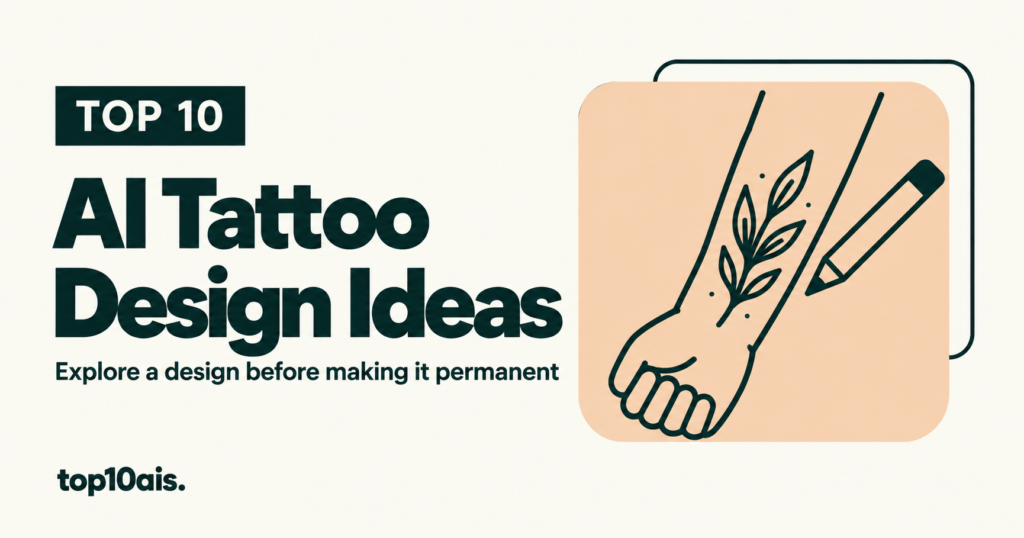
An AI tattoo generator can help you explain a personal idea before you meet an artist. It can show different motifs, compositions and styles, or place a rough design on a photo. The useful output is a reference for discussion. A polished preview does not decide whether the lines, spacing, size or placement will make a successful tattoo. These ten options range from dedicated tattoo services to general creative tools with documented tattoo workflows. Choose around the stage you are in: discovering a theme, refining a motif, comparing placement or assembling a clear brief.
| Rank / tool | Best fit | Price snapshot | Main tradeoff |
|---|---|---|---|
 1. Ink Studio AI |
A focused project without an automatically renewing subscription | US$12.99/7 days, $16.99/14 days or $23.99/30 days; one free generation | Standard generations are unlimited during access; Premium credits are limited |
 2. Fotor |
Trying a prompt or photo idea with a placement preview | Tattoo page advertises free use and watermark-free downloads; verify the complete export | The broader Fotor service also sells subscriptions |
 3. Adobe Firefly |
Exploring several visual directions from an idea or reference | Free daily generations; Firefly Standard advertised at US$9.99/month | A general creative generator; model and plan entitlements differ |
 4. Canva |
Collecting and annotating concepts in a single reference sheet | Free entry point; current paid plan amount and tattoo quota not reliably exposed | A broader design workspace rather than a dedicated stencil system |
 5. BlackInk AI |
Tattoo-specific line controls, body previews and stencil exploration | 8 free designs; US$15/month, $39.99/quarter or $72/year | Very small independent review sample includes a cancellation complaint |
 6. LightX |
Visualizing a described tattoo directly on a personal photo | Regional offer: ₹4,900/year with 1,000 credits/month; ₹499/400-credit pack | Free-credit text is inconsistent; Starter and paid export resolution differ |
 7. NightCafe |
Comparing artistic interpretations across different image models | Daily free credits; current numeric PRO price not verified | A general art platform with model-dependent credit costs |
 8. TattoosAI |
Exploring a tattoo-specific catalog and repeated prompt ideas | US-dollar display: $14.99/month or $4.99/month with annual access | Recurring access; small review sample raises billing concerns |
 9. Artguru |
Simple text-based concepts with optional reference images | Free entry point advertised; tattoo-specific quota and paid price unverified | Public pricing focuses on enhancement rather than clearly itemizing tattoo generation |
 10. Tattoo AI by HUBX |
An iPhone tattoo app with styles, placement previews and stencil export | US iOS offers: $6.99–9.99/week or $29.99–39.99/year | Offers vary; public feedback raises prompt-fit and billing concerns |
Research checked October 14, 2026. Currencies and billing terms are noted where relevant. Annual billing means an annual commitment. Prices, availability, credits, and taxes can change; confirm the current offer directly. On small screens, swipe the table sideways.
How we ranked these tools
We checked official feature and pricing pages and selected public user feedback on October 14, 2026. We did not test these tools or assess healed tattoos. The order weighs personal-use fit, clarity of access, useful design controls and relevance of the available evidence. Several reviews concern broader editors; older reports do not establish current model performance. Independent feedback for Ink Studio AI was insufficient, and similarly named products were kept separate. Prices and offers can vary by location or account. Free claims are attributed to the provider unless the complete export path was verified; none was hands-on tested for this article.
1. Ink Studio AI — A focused project without an automatically renewing subscription
Ink Studio AI is our first shortlist choice for someone who wants to explore one tattoo over a defined period. The useful distinction is its one-time access pass. That is easier to match to a single personal project than an open-ended subscription, although paying for a pass still does not establish how well the results will fit your idea.
Features and pricing
The official page lists text generation, image-to-tattoo conversion, style transfer and high-quality downloads. The three passes include 10, 20 or 30 Premium credits respectively, alongside unlimited standard tattoo generations. The free allowance is one standard-quality generation for a new account. Access starts immediately, so buy when you are ready to work on the idea. [1] [2]
User reviews
We did not retrieve a meaningful independent first-hand review sample for inkstudioai.com. Reviews for the similarly named inkstudio.ai concern a different service and were excluded. This recommendation rests on the documented workflow and payment structure, not a claimed user consensus or tested design quality.
Pros: A clearly bounded purchase is useful for a one-off tattoo concept; photo conversion offers another starting point.
Cons: Independent feedback is sparse, and Premium operations remain credit-limited even while standard generation is unlimited.
Review consensus
Use the free generation to check whether the visual direction is useful. Bring several selected concepts and your own notes to an artist, who can decide what needs redrawing.
2. Fotor — Trying a prompt or photo idea with a placement preview
Fotor is a practical starting point when your main question is how a design might sit on a particular body area. It combines idea generation and a simulated placement workflow. That can help you compare a compact symbol with a more elaborate design before deciding which direction deserves a conversation with an artist.
Features and pricing
The tattoo page supports text or photo prompts and previews on selected body areas. It explicitly advertises free access without mandatory signup and watermark-free downloads. We did not test that complete path, so treat those as product claims to confirm. Do not assume that every related Fotor editing tool shares the tattoo page’s free terms. [3]
User reviews
An October 2026 Trustpilot reviewer reported charges after they believed a subscription was canceled; Fotor replied that the original purchase channel matters. This is broader account feedback, not evidence that the tattoo feature is paid or that its previews are inaccurate. [4]
Pros: Text, reference images and placement visualization can support different stages of early exploration.
Cons: A simulated result cannot establish how ink will look on real skin, and adjacent paid tools can complicate the workflow.
Review consensus
Try a complete free download first. Keep a plain design image as well as the body mockup so the artist can evaluate the actual linework separately.
3. Adobe Firefly — Exploring several visual directions from an idea or reference
Firefly is a good fit if you are still deciding between different visual interpretations of the same theme. A botanical memory, for example, could become a spare outline, a geometric arrangement or a shaded illustration. Its role here is generating visual references rather than deciding whether a design is technically suitable for tattooing.
Features and pricing
Adobe documents a tattoo workflow using text prompts or reference images, with a free Adobe account and daily free generations. Its Standard plan is advertised at US$9.99 monthly. Paid standard-generation access and premium or partner-model credits are separate entitlements; confirm the model and allowance displayed for your account. [5] [6]
User reviews
A June 2024 Adobe Community report described incorrect lettering in a generated tattoo-shop sign. That concerned Firefly Image 3 and signage, not a current tattoo comparison. It is a useful historical reason to inspect generated words carefully, not proof that today’s models have the same limitation. [7]
Pros: References and repeated variations help when you have a theme but have not settled on a visual style.
Cons: It does not replace tattoo-specific drawing judgment; the cited public experience is older and indirect.
Review consensus
Generate the illustration separately from any exact name, date or quotation. Ask your artist to prepare and proofread the final lettering rather than treating a convincing AI preview as final copy.
4. Canva — Collecting and annotating concepts in a single reference sheet
Canva is useful when you need to explain an idea as much as generate it. You can place several concepts on a page, add notes about elements you like, and share that organized reference with an artist. That makes it particularly suitable for an uncertain first brief, where a single generated image can communicate the wrong priorities.
Features and pricing
Its official tattoo page describes prompt generation, reference images, style and aspect-ratio changes, followed by editing or downloading. Sign-in is required. A free starting point is advertised, but the retrieved pricing page did not expose a dependable paid amount or tattoo-specific generation quota. Check the allowance and any premium assets in the actual design. [8] [9]
User reviews
Broader October 2026 Trustpilot feedback includes renewal and cancellation frustration. These comments do not measure the tattoo generator. We did not retrieve a useful independent tattoo-specific sample, so the placement here reflects workflow fit rather than a reported quality advantage. [10]
Pros: Page layouts and annotations make it easier to communicate what should be retained, simplified or removed.
Cons: Extra editing features or assets may require payment, and a neat reference sheet is not a finished tattoo drawing.
Review consensus
Build a short visual brief with two or three directions. Mark the exact details that matter and leave room for the artist’s interpretation instead of asking for a literal copy of the generated image.
5. BlackInk AI — Tattoo-specific line controls, body previews and stencil exploration
BlackInk AI offers one of the more clearly tattoo-oriented workflows in this comparison. It is worth a look when you already know the subject and want to explore line density, placement and simplified versions. Its subscription makes more sense for active iteration than for someone who only wants one quick inspiration image.
Features and pricing
The pricing page lists unlimited paid designs, remixes and visualizations, line-weight and complexity controls, body previews, a stencil converter and high-resolution downloads. It states that generated designs remain in a private library after cancellation. Monthly, quarterly and annual charges are in US dollars; the annual $6 monthly equivalent means $72 paid for the year. [11] [12]
User reviews
The retrieved Trustpilot profile contained only two reviews. One August 2026 reviewer reported a confusing cancellation process and disappointing generation variety. That small sample cannot establish typical experience, but it is a concrete reason to verify cancellation confirmation and inspect the free results. [13]
Pros: Tattoo-specific controls make the intended use clearer than a general art generator’s default workflow.
Cons: A subscription and limited independent evidence reduce confidence for a single small purchase.
Review consensus
Compare a simple and a detailed version during the free allowance. Ask your artist whether the proposed lines and spacing work at the intended size before treating the stencil export as usable.
6. LightX — Visualizing a described tattoo directly on a personal photo
LightX is most useful for a placement question: would this kind of motif look better on a forearm, shoulder or another visible area? You start with your own photograph and describe the desired tattoo and body part. That is a more direct route to a personal mockup than generating a detached design and arranging it manually.
Features and pricing
The documented workflow accepts JPEG or PNG photos and a written prompt, then generates variations for download. The pricing page served Indian-rupee offers: ₹4,900 annually with 1,000 monthly credits, or ₹499 for 400 credits. It lists 512px Starter and 4096px paid output. Its free allowance says six daily credits in one section and up to five elsewhere; confirm your account’s current balance. [14] [15] [16]
User reviews
An April 2024 US App Store reviewer praised casual creative use and navigation. A July review described renders consuming credits without useful changes. These concern the broader editor, and the older review’s free allowance should not be substituted for current pricing. [17]
Pros: A photo-led prompt makes it easy to compare the relationship between a motif and your own placement.
Cons: Credit consumption and lower free resolution can limit useful revisions or detailed inspection.
Review consensus
Use a clear photo with the intended area visible. Preserve the original, and compare the whole image afterward so an appealing tattoo mockup does not distract from unrelated changes to the photograph.
7. NightCafe — Comparing artistic interpretations across different image models
NightCafe suits the exploratory stage, especially if you enjoy comparing different artistic interpretations. You can use the same subject and style description across models, then keep only the elements that communicate your idea well. Its wider creative community may be appealing, but participation is not necessary to decide what belongs in a personal tattoo brief.
Features and pricing
The official site documents a tattoo-generation workflow and a choice of image models. Daily free credits are available, while PRO increases access and credits. The pricing endpoint did not return a dependable numeric offer during research. Official help distinguishes unlimited base generations from faster-mode quotas, so check the selected model’s cost rather than assuming every operation is unlimited. [18] [19]
User reviews
October 2026 Trustpilot feedback includes a writer who enjoyed translating ideas into images. September feedback reports malformed anatomy, while other users raise moderation concerns. These broader art-platform experiences support inspecting individual results; they do not establish tattoo quality or a reliable success rate. [20]
Pros: Model variety offers a way to explore different aesthetics without committing immediately to one interpretation.
Cons: Creative freedom also means more selection work; anatomy and fine detail deserve close inspection.
Review consensus
Keep the prompt stable while changing one variable at a time. Save promising designs locally and use them as references, with an artist deciding how to turn the concept into workable tattoo linework.
8. TattoosAI — Exploring a tattoo-specific catalog and repeated prompt ideas
TattoosAI is an option for someone who wants to browse tattoo ideas by style or placement and then develop an individual prompt. The catalog can help you find vocabulary for a brief, which is useful when you recognize the kind of design you want but cannot yet describe it clearly.
Features and pricing
The official pricing page offers unlimited tattoo designs and permanent cloud storage during its monthly or annual access options. It displays $14.99 monthly and $4.99 per month for annual access. The retrieved page did not clearly show a final annual charge or tax treatment; verify those details at checkout instead of interpreting the monthly equivalent as a month-to-month offer. [21] [22]
User reviews
The retrieved Trustpilot profile had four reviews, all negative, so it is a very small and potentially unrepresentative sample. A January 2026 reviewer reported charges after cancellation; a December 2025 reviewer described confusion about the advertised offer and subscription. These are purchasing concerns, not a measured assessment of design quality. [23]
Pros: A tattoo-focused catalog can make style discovery and prompt development more approachable.
Cons: The limited feedback and recurring-payment complaints warrant a cautious purchasing decision.
Review consensus
Explore the available ideas first and decide whether a paid period is necessary. Read the checkout and cancellation route carefully, then keep only concepts that add something useful to your brief.
9. Artguru — Simple text-based concepts with optional reference images
Artguru is worth considering for a straightforward visual experiment when you do not need a dedicated tattoo workspace. Its tattoo guide leads into a general image generator. That makes it a possible starting point for a motif or composition, but a weaker choice if your main requirement is a precise placement preview or a clearly documented stencil workflow.
Features and pricing
The official guide supports written ideas; the linked generator adds image references, style selection and portrait, landscape or square formats. It advertises standard and HD downloads. The public pricing material retrieved during research primarily explained enhancement credits, not a dependable tattoo-generation price or free quota. Verify the generation and download offer before committing. [24] [25] [26]
User reviews
A September 2025 Trustpilot reviewer described difficulty resizing a generated image and placing it into a document. Other visible feedback concerns unrelated PDF enhancement. This is a small, mixed-use sample, so it provides an export question to test rather than a tattoo-quality verdict. [27]
Pros: A lightweight prompt-and-reference workflow can be enough for an initial motif comparison.
Cons: Unclear tattoo-specific entitlements and limited relevant feedback make purchase comparison difficult.
Review consensus
Test whether the downloaded image has the dimensions and clarity you need. If the result requires extensive cleanup, use it only to communicate a theme and let the artist develop the actual design.
10. Tattoo AI by HUBX — An iPhone tattoo app with styles, placement previews and stencil export
Tattoo AI by HUBX puts the main tattoo exploration steps into an iPhone app. It may appeal if you prefer choosing and saving ideas on your phone rather than organizing a browser workspace. It ranks lower here because the retrieved user comments raise practical concerns that should be checked before accepting a recurring offer.
Features and pricing
The listing documents styles, written prompts, body-area previews and stencil export. US in-app purchases include several weekly prices between $6.99 and $9.99 and annual offers of $29.99 or $39.99. These are listed offers, not a promise that every account receives each option. The description identifies auto-renewing subscriptions. [28]
User reviews
A July 2025 App Store reviewer found a specific prompt poorly followed and the ad-supported experience frustrating. June 2026 feedback reports cancellation and refund difficulties; the developer acknowledged the complaint. Individual comments do not establish the experience of all users, and a high aggregate rating does not resolve these specific concerns. [28]
Pros: A dedicated mobile workflow keeps ideas, previews and exports in one place.
Cons: Short billing periods can be expensive for casual use, and the retrieved feedback is mixed on practical value.
Review consensus
Try a simple, concrete motif and check how closely the result follows it. Review the exact billing interval and purchase channel before paying; bring the saved concept to an artist as inspiration.
Build a useful tattoo brief before buying more generations
Start with the meaning or subject, an approximate placement and a broad size. Describe the visual treatment in ordinary terms: a simple outline, bold shapes, shaded illustration or a restrained botanical composition. Ask for one main motif before combining many symbols. Keep a few alternatives and note which details matter to you. For example, the leaf shape may be essential while the generated border is disposable. Compare designs at the intended approximate size, not only enlarged on a screen. Bring both the plain artwork and any placement mockup to your artist. Ask them to assess the linework, spacing and how the composition should adapt to the body. If exact lettering, dates or another language are involved, proofread the final text independently. Generated images can make incorrect details look persuasive.
Match the purchase to the amount of exploration you actually need. A seven-day pass may be useful when you already have a brief; a monthly subscription can make sense if you will actively compare many variants. Neither is automatically better than a free starting point. Check the final export, credit cost, renewal interval and cancellation route before buying. Keep your selected images locally with notes about what you want changed. For a photo-based try-on, upload only an image you are comfortable sharing with that service and read its current handling terms. Most importantly, ask the artist how they prefer to receive references. The goal is a productive design conversation, not an obligation to reproduce an AI image exactly.
Frequently asked questions
Can an AI-generated tattoo be taken straight to an artist?
Yes, as a reference. Ask the artist to evaluate and adapt it; an AI preview or stencil export does not establish that every detail is suitable for tattooing.
Which option avoids an automatically renewing subscription?
Ink Studio AI documents one-time 7-, 14- and 30-day access passes. Its Premium credits remain limited, and access starts immediately after purchase.
Are free tattoo generators really free to download from?
The terms differ. Fotor advertises a free watermark-free tattoo workflow, while other tools limit generations, resolution or advanced operations. Verify a complete export before relying on a free claim.
Can a body preview show exactly how the finished tattoo will look?
No. Treat it as a rough composition and placement aid. Your artist must judge how to adapt the design, scale and linework for the intended tattoo.
Related rankings
Sources used (28)
Official product information and public user-review pages checked October 14, 2026. Reviews reflect individual experiences. The list order is our editorial interpretation of the evidence.
- Ink Studio AI — official features and plans
- Ink Studio AI — access passes and allowances
- Fotor — official features and plans
- Fotor — public user reviews
- Adobe Firefly — official features and plans
- Adobe Firefly — plans
- Adobe Firefly — public user reviews
- Canva — official features and plans
- Canva — plans and access
- Canva — public user reviews
- BlackInk AI — official features and plans
- BlackInk AI — pricing and tattoo features
- BlackInk AI — public user reviews
- LightX — official features and plans
- LightX — regional pricing, credits and export limits
- LightX — additional public review feedback
- LightX — public user reviews
- NightCafe — official features and plans
- NightCafe — unlimited and fast-mode credit distinctions
- NightCafe — public user reviews
- TattoosAI — official features and plans
- TattoosAI — monthly and annual access
- TattoosAI — public user reviews
- Artguru — official features and plans
- Artguru — linked image-generation workflow
- Artguru — public pricing information
- Artguru — public user reviews
- Tattoo AI by HUBX — official features and plans